


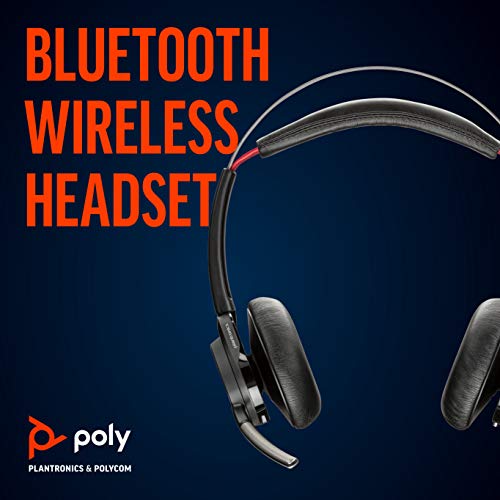


Plantronics Voyager Focus UC Wireless Headset
Our Voyager Focus UC is engineered for professionals who demand immersive sound in open-plan offices. Active noise canceling blocks ambient noise while stereo audio delivers rich clarity for music, calls, and video conferencing. The padded leatherette ear cushions and memory foam headband create an acoustic seal that keeps you focused for hours.
This wireless headset pairs seamlessly with PC and mobile devices via Bluetooth, and the USB adapter ensures plug-and-play compatibility with unified communications platforms including Microsoft Teams, Skype for Business, and Zoom. Smart sensors detect when you put the headset on or take it off, automatically answering calls or pausing media. We built this model for professionals who move between desk work and collaboration spaces without missing a beat.
- Active noise canceling (ANC) blocks up to 89% of ambient office noise
- Wireless range up to 98 feet (30 meters) from USB adapter or mobile device
- Up to 12 hours of talk time on a single charge; up to 15 hours listening time
- Smart sensors auto-answer calls when you put the headset on
- Stereo audio with 40mm drivers for music and multimedia
Active noise canceling technology
The Plantronics Voyager Focus UC uses triple-microphone active noise canceling to measure and counteract ambient sound in real time. When you activate ANC, the headset generates an inverse sound wave that neutralizes up to 89% of background noise—keyboard clatter, HVAC hum, and nearby conversations fade into silence.
This technology is especially valuable in open offices where acoustic privacy is limited. The OpenMic button on the left ear cup lets you toggle ANC off when you need situational awareness, so you can hear a colleague approaching or listen for announcements without removing the headset. We calibrated the ANC profile to preserve vocal clarity on calls while filtering environmental distractions.
Wireless connectivity & unified communications
Our Voyager Focus UC connects via Bluetooth 4.1 or the included USB Type-A adapter, which provides a dedicated wireless link to your PC or Mac. The adapter uses DECT-style frequency hopping to maintain a stable connection up to 98 feet from your desk, so you can step into a conference room or walk to the printer without dropping a call.
The headset is certified for Microsoft Teams and Skype for Business, with dedicated call-control buttons that integrate with these platforms. You can answer, end, mute, and adjust volume without touching your keyboard. Teams notifications appear as audio cues in the headset, and the mute button syncs with the software’s mute state to prevent talking while silenced.
Smart sensor controls & audio performance
Proximity sensors inside each ear cup detect when you put the headset on or remove it. When you don the headset during an incoming call, it answers automatically. Take it off mid-call and the headset routes audio back to your PC speakers or mobile device. Remove it while listening to music and playback pauses; put it back on and playback resumes.
The 40mm neodymium drivers deliver stereo sound across a frequency range of 20 Hz to 20 kHz, reproducing bass-heavy music and high-frequency speech with equal fidelity. SoundGuard technology protects against audio spikes above 118 dBA, and the dynamic EQ adjusts tone based on whether you’re on a call or streaming media. Dynamic mute alert monitors the boom microphone and chimes if you speak while muted—a safeguard during back-to-back meetings when you forget to unmute. Our Voyager 5200 UC uses a similar alert system in a monaural earbud form factor, suited to users who prefer a single-ear design for mobility between calls.
Professional headsets for every work environment


What people are saying


Common questions about the Voyager Focus UC
Yes, the Voyager Focus UC is fully compatible with both macOS and Windows via the included USB Type-A adapter or native Bluetooth pairing. The adapter is plug-and-play with no driver installation required on either platform. Call controls, mute functions, and firmware updates work identically across operating systems.
Absolutely. The headset pairs with iOS and Android devices over Bluetooth and supports both hands-free calling and media playback. You can connect to your PC via the USB adapter and a mobile device simultaneously, switching between sources with a tap of the call-answer button. Battery life remains the same whether connected to a computer or phone.
The triple-microphone ANC system reduces ambient noise by up to 89%, which is sufficient to block steady background sounds like HVAC, distant conversations, and keyboard typing. Sudden loud noises—door slams, laughter spikes—may still break through, but the overall effect is a significant reduction in cognitive load during focused work or calls.
When using the USB adapter, you get up to 98 feet (30 meters) of range in typical office environments. Actual distance varies with wall materials and wireless interference, but most users can move freely within a medium-sized office floor without dropouts. Bluetooth-only mode offers around 30 feet depending on your device's Bluetooth class.
The boom microphone is fixed and does not detach. It rotates 180 degrees so you can wear it on either the left or right side, and it bends for positioning. Mute is controlled by a dedicated button on the right ear cup, not by flipping the boom. A red LED on the boom lights up when muted.
Yes, replacement leatherette ear cushions are available as an accessory part. The cushions attach via a plastic snap ring that you can pry off gently with your fingers. Swapping them takes about two minutes per side and restores the acoustic seal and comfort after heavy use.
The Voyager Focus UC is certified for Microsoft Teams and Skype for Business, but it functions as a standard USB audio device on Zoom, Google Meet, Cisco Webex, and other platforms. Call controls like mute and volume work universally. Platform-specific integrations—like Teams notifications—are limited to Microsoft software, but core calling and audio performance are identical across all apps.