

Plantronics APC-43 Electronic Hookswitch Cable
The Plantronics APC-43 electronic hookswitch cable enables remote call control between your compatible Plantronics wireless headset and select Avaya desk phones. This electronic hookswitch (EHS) adapter eliminates the need for a mechanical handset lifter, giving you seamless answer-and-end functionality directly from your headset when you're away from your desk.
Designed for professionals who move between calls and tasks throughout the day, the APC-43 delivers one-touch call handling without returning to your phone base. Our cable pairs advanced telephony integration with plug-and-play simplicity, so you spend less time managing connections and more time focused on conversations.
- Electronic hookswitch integration for Avaya desk phone models
- Remote answer and end call control from compatible Plantronics wireless headsets
- Eliminates need for mechanical handset lifters
- Plug-and-play installation with no additional software required
- Durable molded connectors for reliable long-term use
Phone Compatibility & Installation
The Plantronics APC-43 connects to Avaya 1400, 1600, 9400, and 9600 series digital desk phones. Installation takes under two minutes: plug the cable into your phone’s AUX or headset port, connect the opposite end to your Plantronics base unit, and you’re ready to answer calls remotely.
Your phone automatically recognizes the hookswitch signal when a call arrives, letting you press the headset call-control button to pick up or hang up without touching the handset. This setup works whether you’re standing at a filing cabinet, walking to a printer, or refilling coffee — any task within your headset’s wireless range becomes uninterrupted by incoming calls.
Headset Base Unit Connection
The APC-43 cable features a modular connector on one end for your Avaya phone and a specialized connector on the opposite end that attaches to the AUX port on your Plantronics wireless headset base. Once connected, the base unit interprets hookswitch signals from your desk phone and relays call-status information to your headset.
Most Plantronics CS and Savi wireless headset bases include the AUX port as standard, so you won’t need adapter hardware beyond the APC-43 itself. If you’re upgrading from a handset lifter, simply remove the lifter, route the APC-43 cable behind your desk phone, and enjoy cleaner desk aesthetics with the same — or better — call control.
Remote Call Handling Benefits
Electronic hookswitch control means you can answer a call the moment you hear the ringtone in your headset, even if you’re 100 feet from your desk. You also end calls with a single press, automatically releasing the phone line so the next caller can get through.
This immediate response reduces missed calls during high-volume periods and eliminates the sprint back to your desk when a priority call arrives. Teams in customer service, IT support, and sales benefit most, since rapid answer times and mobility during calls directly improve caller satisfaction and first-call resolution rates.
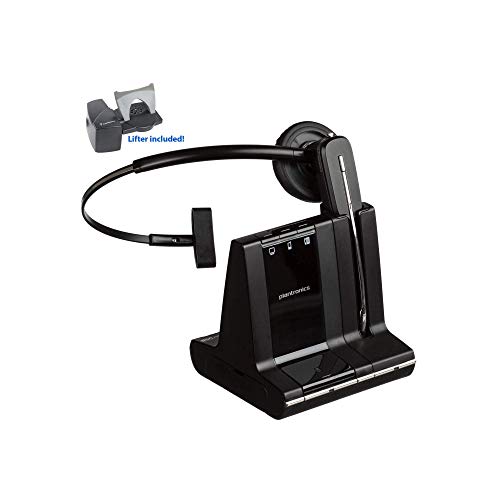
Compatible Plantronics Headsets & Cables




What people are saying
Common Questions About the APC-43 Cable
The APC-43 supports Avaya 1400 series (1408, 1416), 1600 series (1608, 1616), 9400 series (9404, 9408), and 9600 series (9608, 9611, 9621, 9641) digital desk phones. Always verify your specific model number against the compatibility chart in the product documentation to confirm before purchasing.
No, the APC-43 electronic hookswitch cable replaces the need for a mechanical handset lifter. The cable sends electronic signals directly to your phone, so you don't need physical hardware to lift the handset. If you currently use a lifter, you can remove it once the APC-43 is installed.
The APC-43 is designed exclusively for Plantronics wireless headset bases with an AUX port, such as CS and Savi series models. It will not function with headsets from other manufacturers, even if the phone compatibility matches, because the signaling protocol and connector type are proprietary to Plantronics systems.
Installation typically takes one to two minutes. Plug one end into your Avaya desk phone's headset or AUX port, connect the other end to the AUX port on your Plantronics headset base, and the system will recognize the connection automatically. No software configuration or phone settings changes are required.
The cable is approximately six feet long, which accommodates most desk layouts where the phone and headset base are on the same surface or nearby credenza. If your phone and base are separated by more than six feet, you may need to reposition one device or explore alternative cable routing to ensure a secure connection.
The APC-43 handles remote answer and end call functions only. Mute and volume adjustments are controlled directly on your Plantronics wireless headset or headset base, not through the hookswitch cable. Your headset's existing controls remain fully functional after installing the cable.
Yes, you can lift your handset to answer a call traditionally or press your headset call button for wireless answer. The APC-43 does not disable handset functionality; it simply adds the option to control calls remotely from your headset when you're away from your desk.